An AI coworker inside the project tool you already use
Your cards, chats and pings in one fast chat view, plus a teammate that drafts the reply, summarises the thread, turns a conversation into tasks and types your voice notes. Switch it off any time and everything is exactly where it was.
Browser extension for Chrome, Edge, Brave and Arc. Your work stays in your own tool.
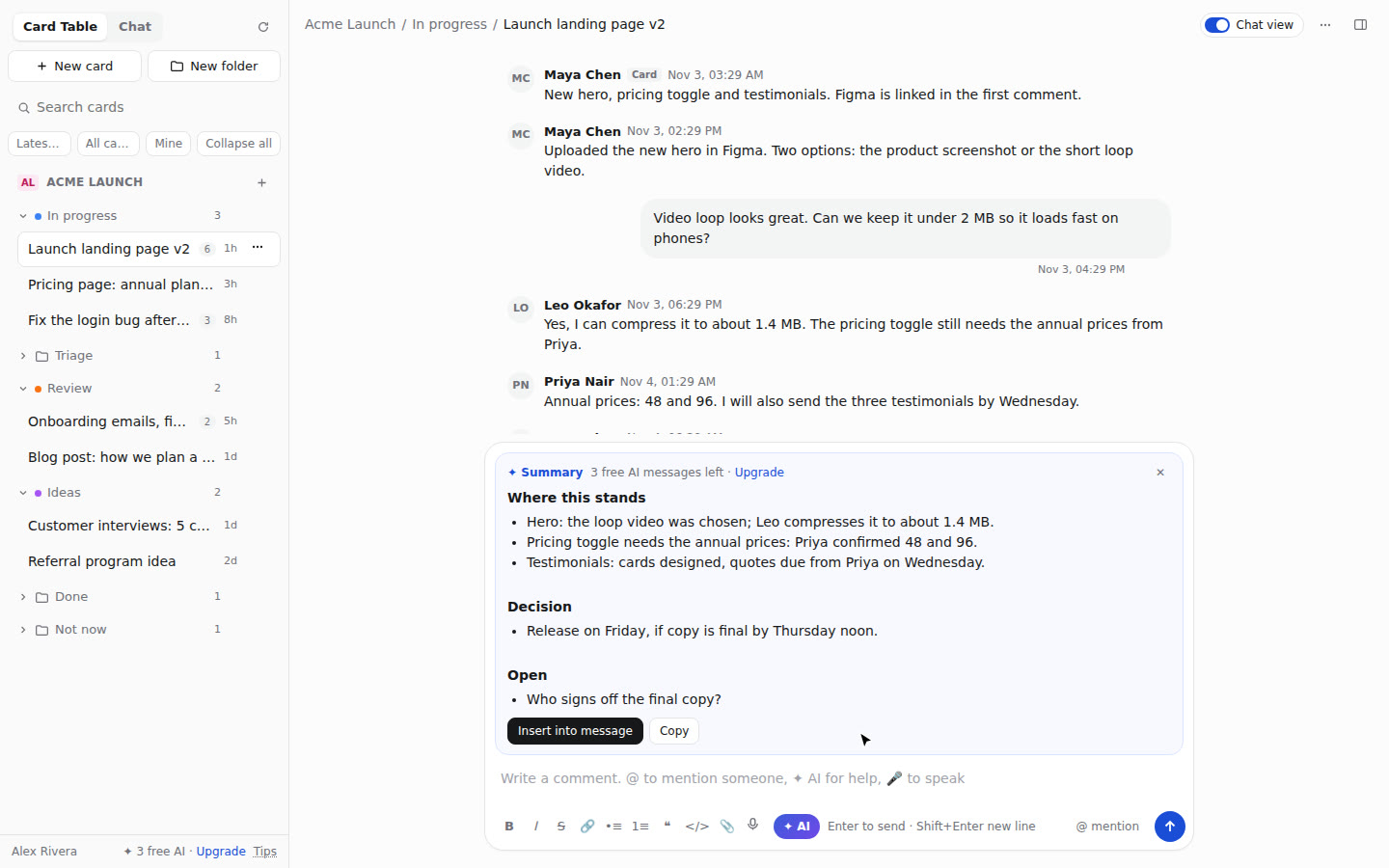
Project tools hold the work. Getting through them is the slow part.
Teams lose hours clicking between boards, cards, chats and pings, re-reading long threads, and turning conversations into to-dos by hand.
Without it
Open a board, open a card, scroll forty comments, switch to the chat, find who said what, copy it into a task, write the update, repeat for every project.
With AI Coworker
Every card and chat is one click away in a single list. Ask for the summary, the next reply or the action items, check it, send it. Speak instead of typing when that is faster.
What it does
Everything below works on top of your existing account. Nothing is copied out of your tool; switch the view off and you are back on its normal pages.
Boards become chats
Columns are folders, cards are conversations. Search, sort by latest activity, filter to open or mine, hide what you never use.
An AI teammate in every thread
Draft the next reply, summarise a long card, list the action items, or ask anything about it. You review before anything is posted.
Chats into tasks
Turn the action items from a conversation into real cards in the folder you choose, in one go.
Voice notes as text
Speak and it is typed into the message as you talk, in ten languages. Edit it, then send. Nobody has to listen to audio.
Everything one right-click away
Move, copy, assign, set due dates, watch, archive, colour, reorder. Drag cards between folders. Select many and act on all of them.
Project chat and direct messages
Your project's chat and private messages with the people on the project, in the same view, with history, boosts, files and mentions.
Ask about any web page
Open the side panel on any site: ask about the page, explain its console errors, or send the link (YouTube with its timestamp) to a task as a comment.
Built-in playbooks
Answers follow proven engineering, delivery and review playbooks when your question calls for them.
Your code host, connected
Connect GitHub, GitLab or Gitea/Forgejo with a token you control. Your repositories show in the extension, ready for code tasks.
Works where your team works
Basecamp is live today. Leave your email for the next tool and you will hear the day it opens.
See it in action
Short demos, one feature at a time.
Simple pricing
Start free. Upgrade from inside the extension when you need more.
- Chat view for your boards, chats and messages
- All the right-click and bulk actions
- Voice notes as text
- 3 AI messages to try the coworker
- Everything in Free
- AI coworker in every thread and on any page (fair use)
- Chats into tasks, summaries, drafted replies
- Playbooks and code-host connection
Questions
Where does my project data go?
The extension reads your boards and chats in your own browser, with your own sign-in. Only what you send to the AI (the thread or page you ask about) goes to our server to get the answer; it is not kept after the answer is returned.
Does it change anything in my account?
Only what you do: a message you send, a card you move. Switch the chat view off and you are on the tool's normal pages, with everything in place.
Who else can see my workspace?
No one. Every account is separate, and nothing about one customer is ever shown to another.
Which browsers?
Chrome, Edge, Brave, Arc and other Chromium browsers on desktop.
What happens after my 3 free AI messages?
The chat view and every non-AI feature keep working. The AI asks you to upgrade.